“ZTA Using Micro-Segmentation: An enterprise may choose to implement a ZTA based on placing individual or groups of resources on a unique network segment protected by a gateway security component.”
— Zero Trust Architecture NIST.SP.800.207
This has been tested successfully on the following setup.
- UCG Ultra; UniFi OS 5.0.12 & Network 10.1.85
Guides: To be successful in implementing ZTA via Network Segmentation using UniFi, it is beneficial to read these guides.
- Creating Virtual Networks (VLANs)
- Zone-Based Firewalls in UniFi
- Implementing Network and Client Isolation in UniFi
It is possible to implement ZTA via Segmentation in a home environment with a retail price of SGD 199.00. The UniFi UCG Ultra uses Zone Based Firewall (ZBF) to implement ZTA. You have three levels of isolation available: Zone, Network and Client.
Step 1: Enable ZBF
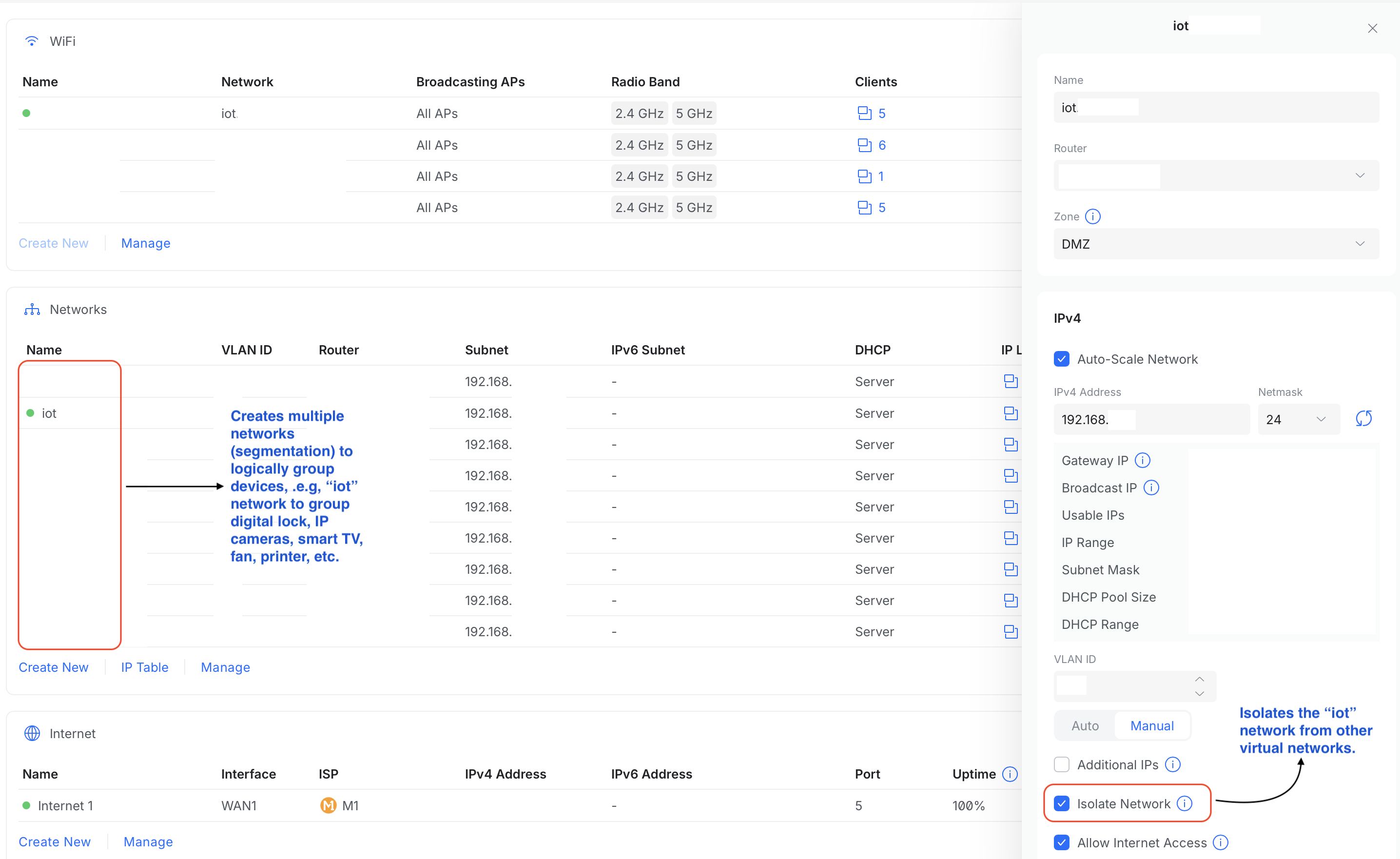
After enabling ZBF in UCG Ultra, six default zones and policies would be created and enabled. You only need to assign networks (segments/VLANs/subnets) into its appropriate zone. Each network can only be assigned to one zone. You can also create additional custom zones. You could create a network for your laptops, PCs, tablets and smartphones and assign them to the default Internal zone. Next, you could group all your IoT devices, such as Smart TV, network printer, gaming console, digital lock, fan, CCTV, etc, logically in an IoT network and assign it into the DMZ. With these, you have done both Zone and Network segmentation.
You could then create policies to control traffic between zones or isolate a zone from others. Within each zone, you could also prevent networks from interacting with each other.
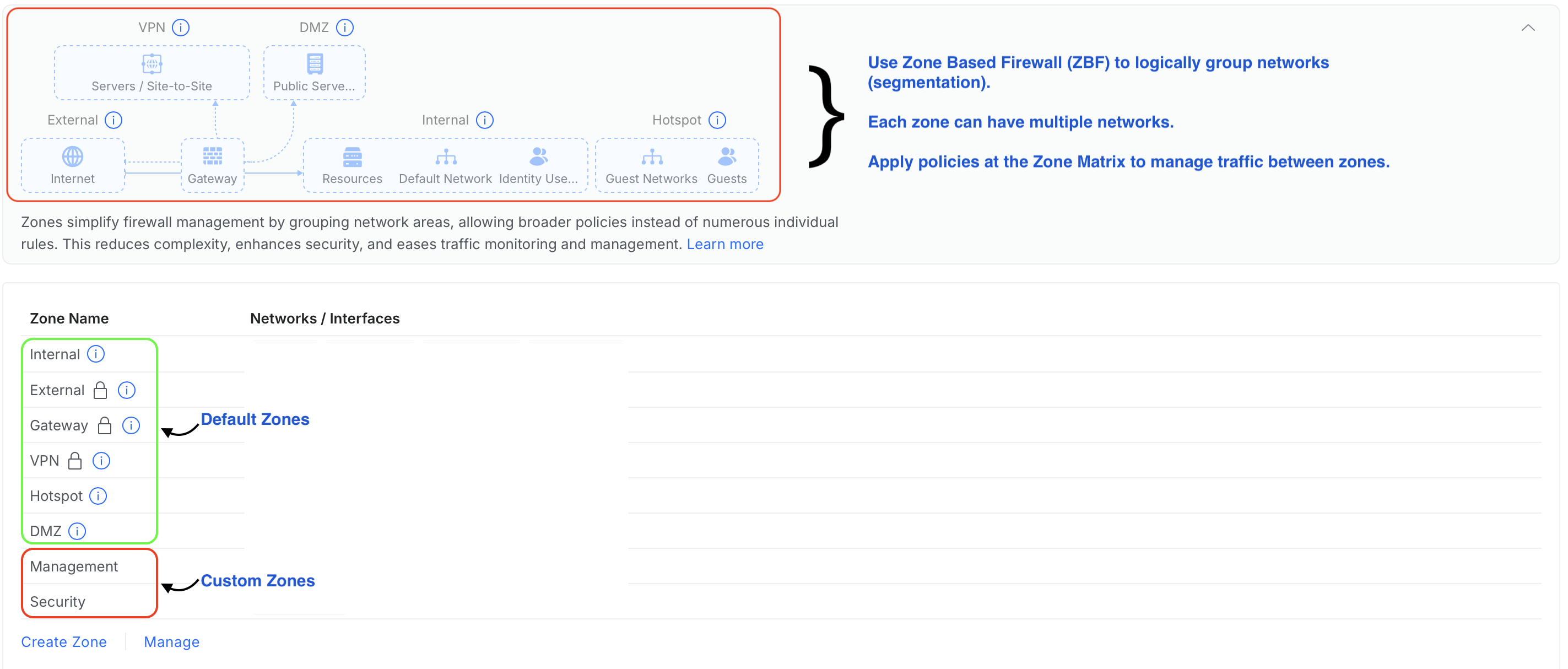
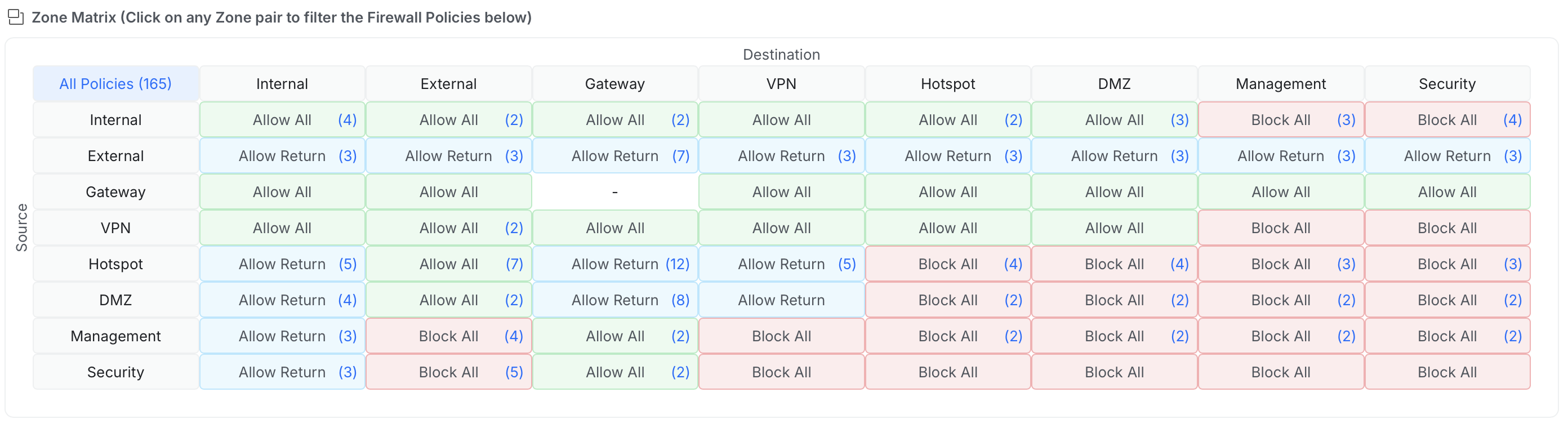
The default and custom policies are shown in the Zone Matrix. The first column represents the source zones, while the first row represents the destination zones. The policies control traffic flow between the zones.
Step 2: Enable Network Isolation & Create Custom Policy (Optional)
Typically, you do not want your IoT devices to be initiating communication to your work or personal laptop. Most of the time, your IoT devices do not have any legit purposes in doing so. By default, devices in DMZ are not permitted to initiate communication with the Internal zone.
If you’ve a compromised IoT device, it will be not be able to perform port scanning or login attempts to your Internal zone.
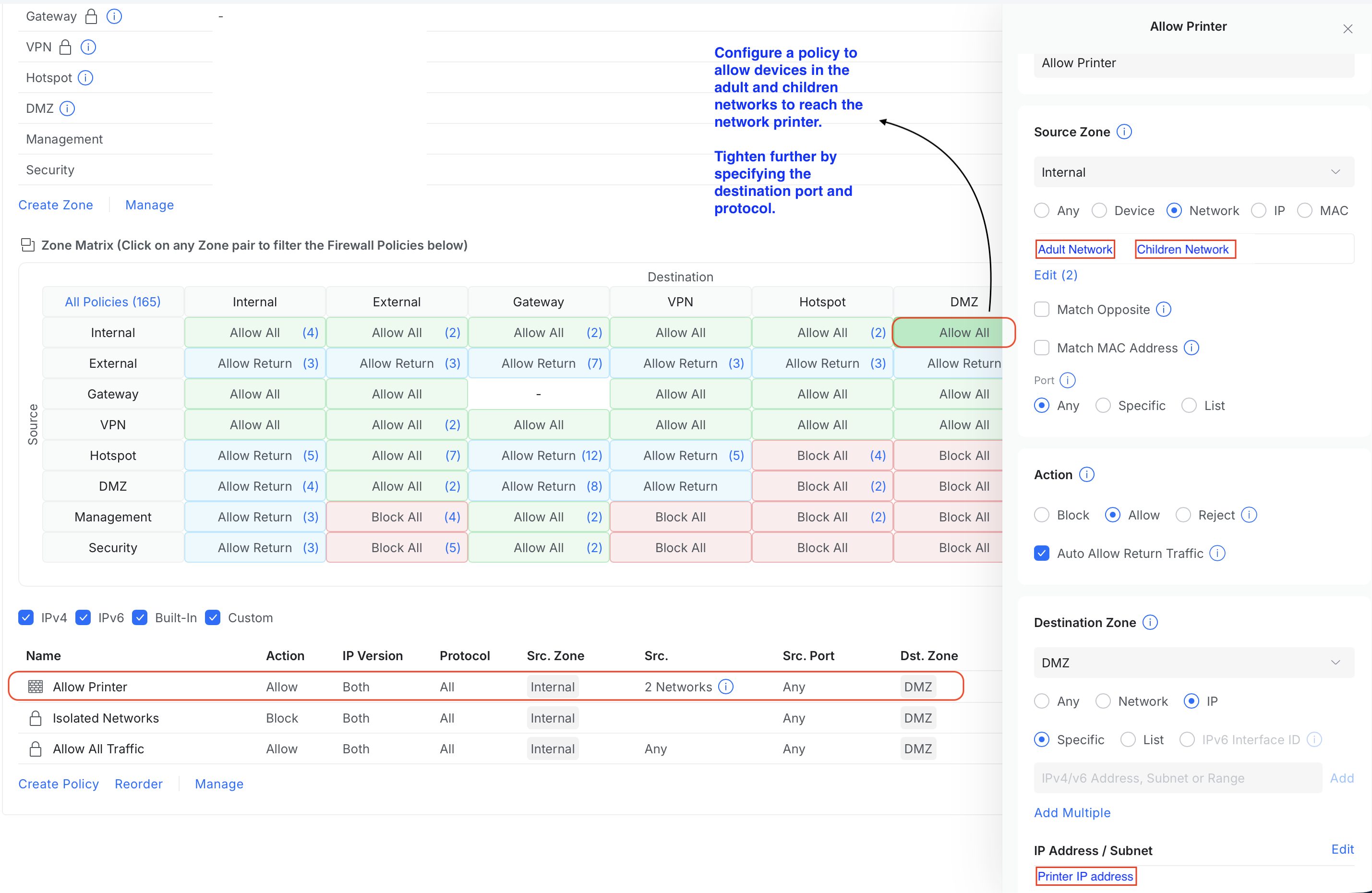
Conversely, we do want our Internal zone devices to initiate communication with the IoT devices, for e.g., sending print jobs to the printer, changing passwords and upgrading firmware. This is can handled by a custom policy, to allow your specific devices to reach the DMZ.
Step 3: Monitor Your Network
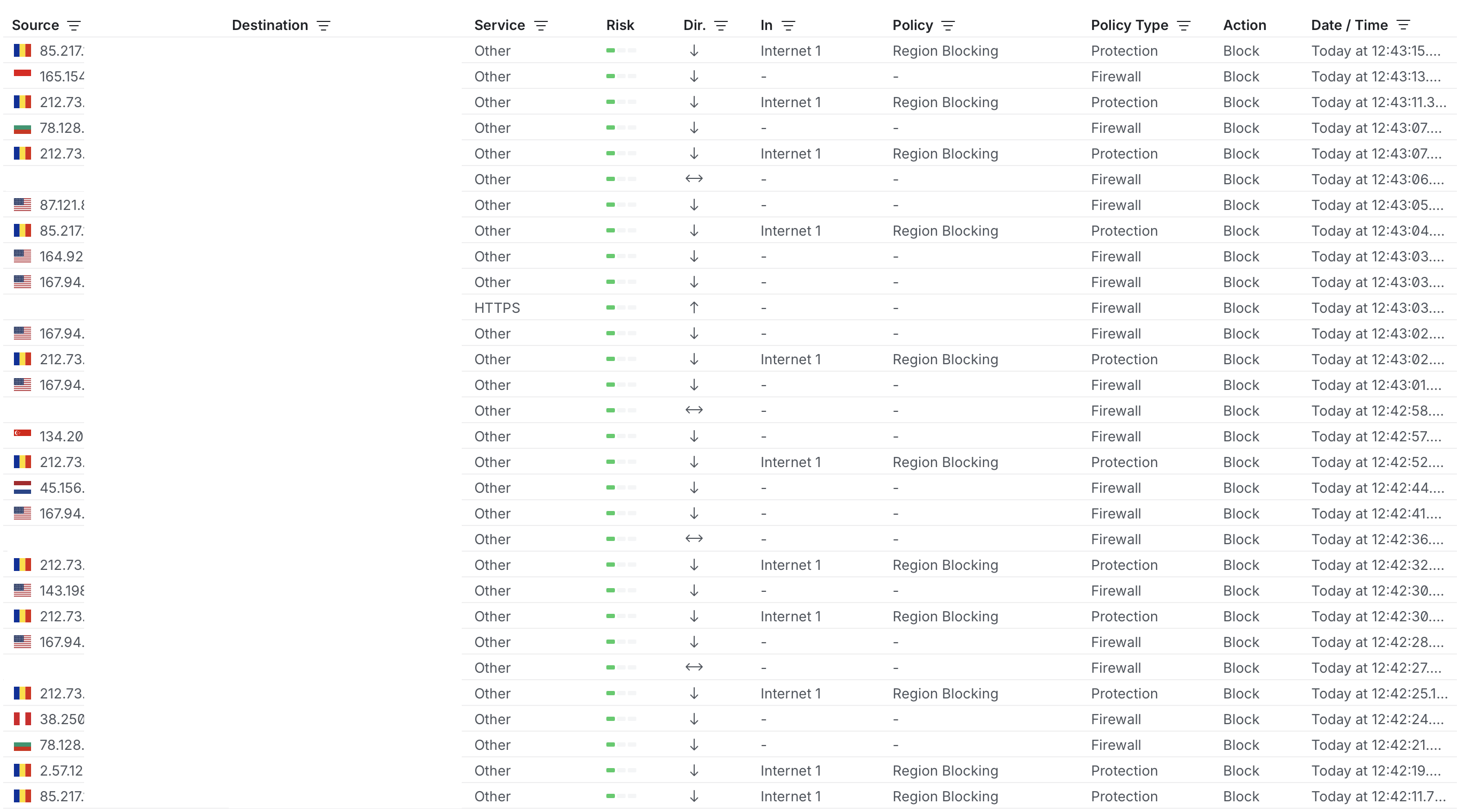
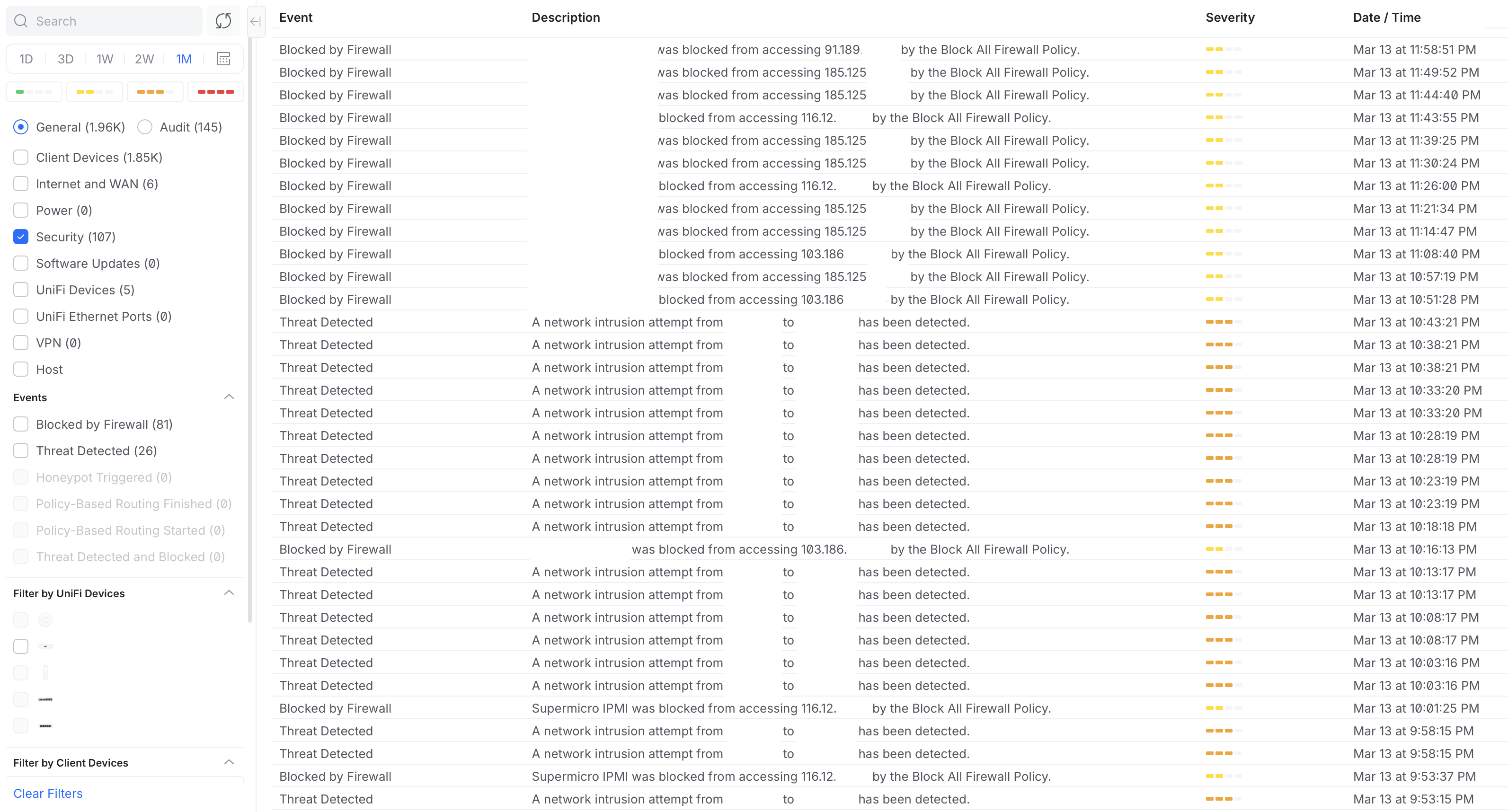
You could monitor your network for threats via the Insights and Logs (Security events). These allow you to monitor for suspicious lateral movements between zones as well as blocked traffic.
With a reasonable price, one could enjoy the security that ZTA offers.
PS: I do not get any commission should you decide to acquire a UniFi product.